
HTTP Debugger
Debug HTTP/HTTPS traffic from your iOS device
Features
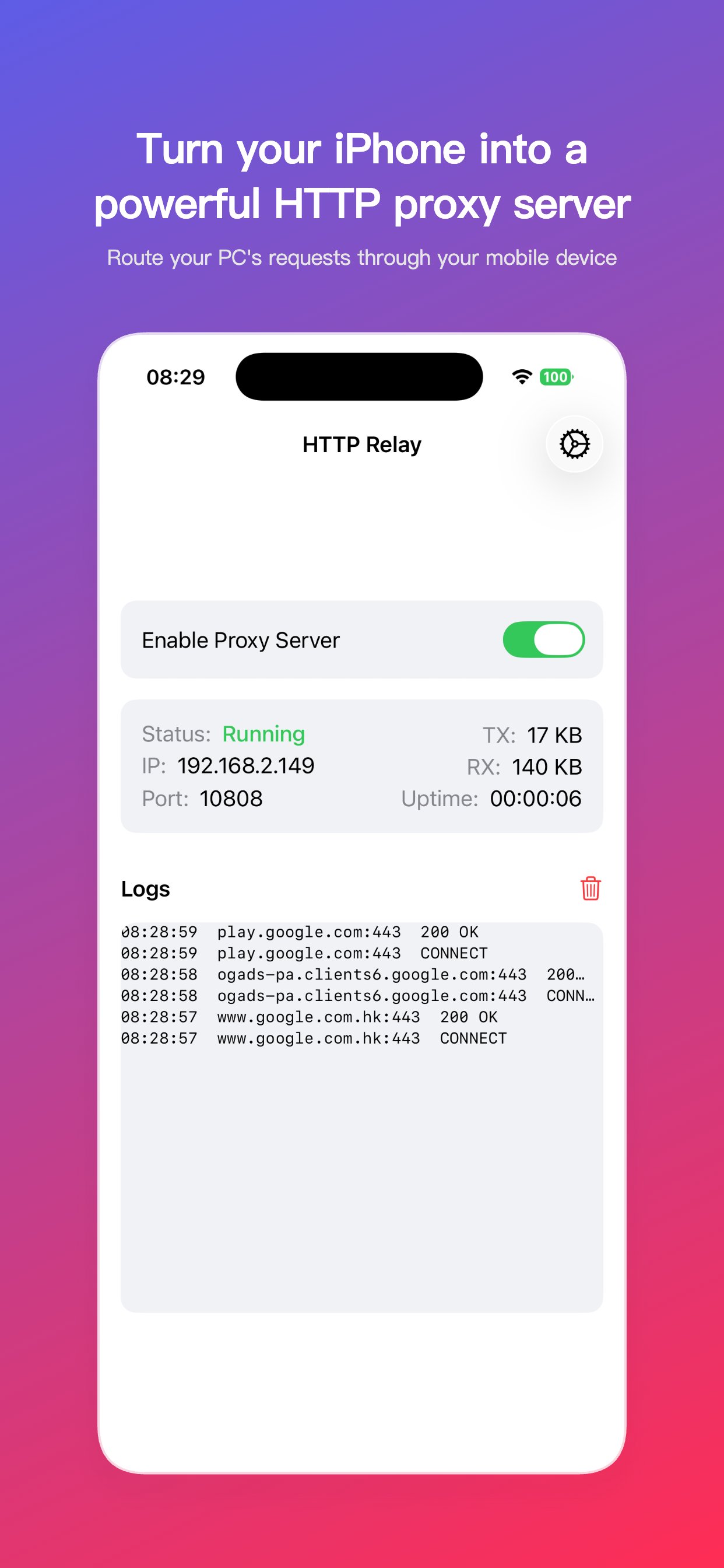
HTTP CONNECT Proxy
Runs on configurable port (default 10808)
Real-time Stats
TX/RX byte counting and connection tracking
Traffic Inspection
Monitor and debug HTTP traffic from your apps
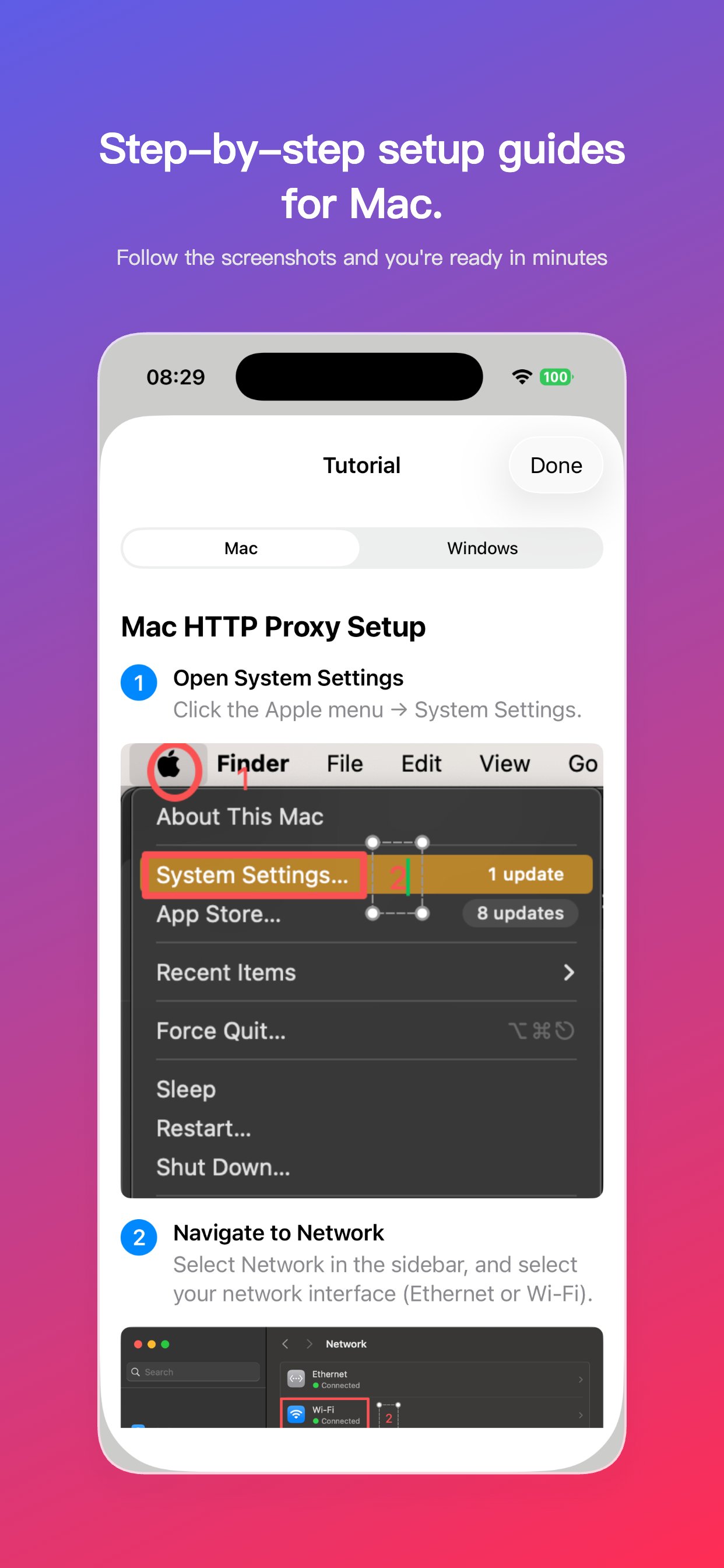
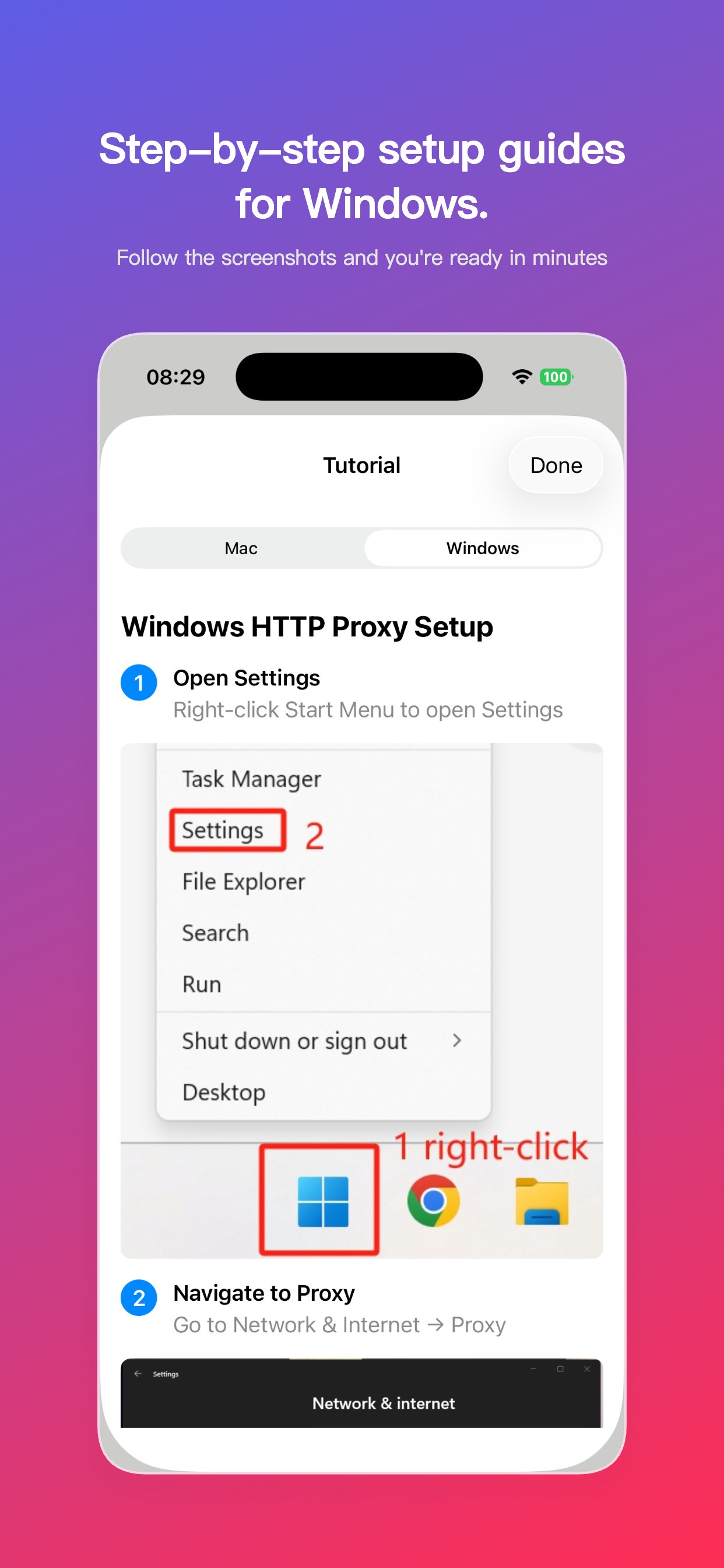
Built-in Setup Guide
Step-by-step tutorials for Mac and Windows
Screenshots
How It Works
1
Start the Debugger
Toggle to enable the proxy server on your iPhone. The server IP and port are displayed automatically.
2
Configure Your Computer
Follow the built-in setup guide to configure proxy settings on your Mac or Windows PC.
3
Debug Traffic
All HTTP/HTTPS traffic from your computer is now routed through your iPhone, allowing you to inspect and debug network requests during development.